Review and redline contracts directly in Word & Google Docs
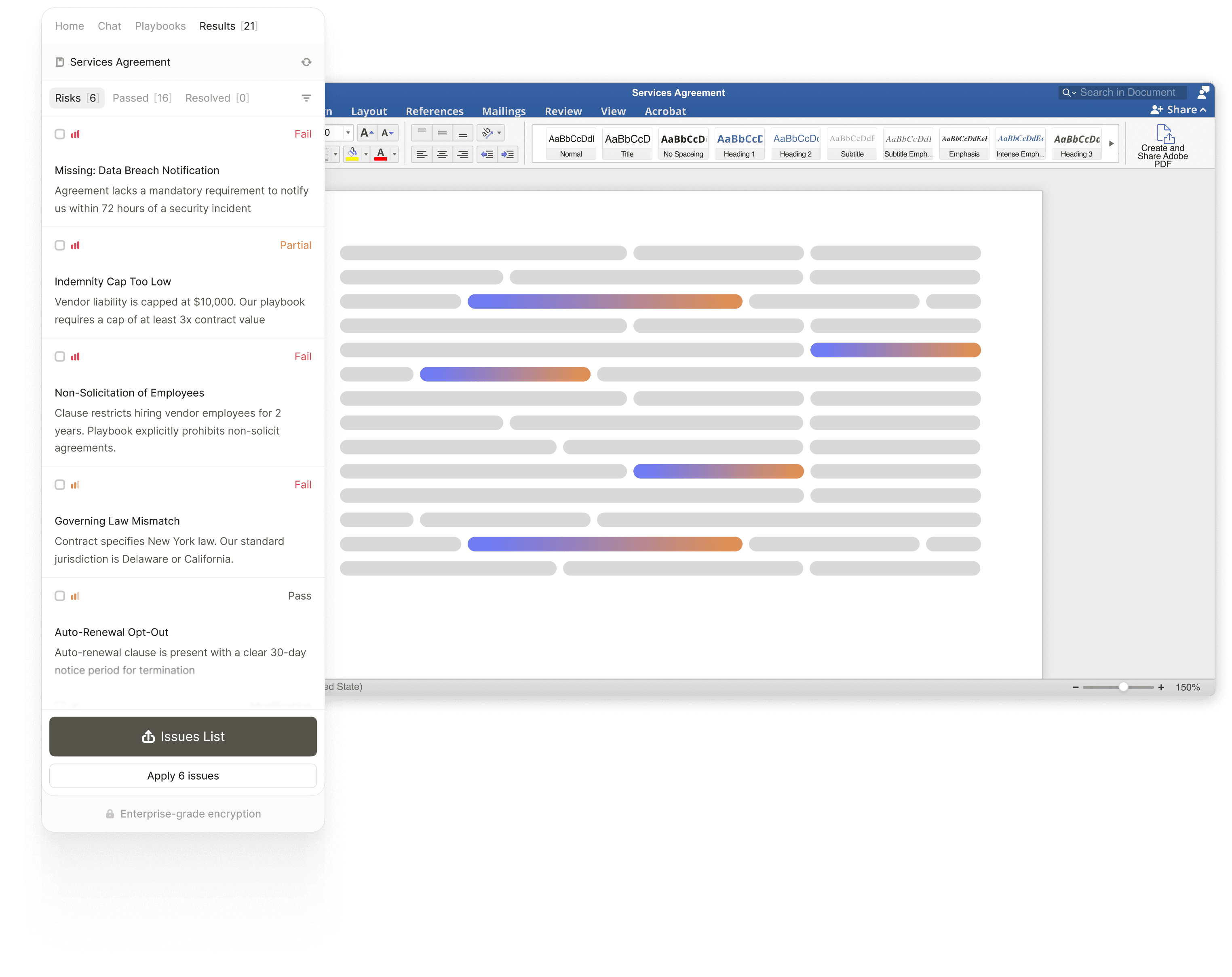
Ruli Word and Google Docs extension helps in-house legal teams redline agreements, spot issues, build playbooks, and apply playbook standards — all with no copy-paste, no app-switching, no manual edits.

features
Why in-house legal teams use Ruli in Word and Google Docs
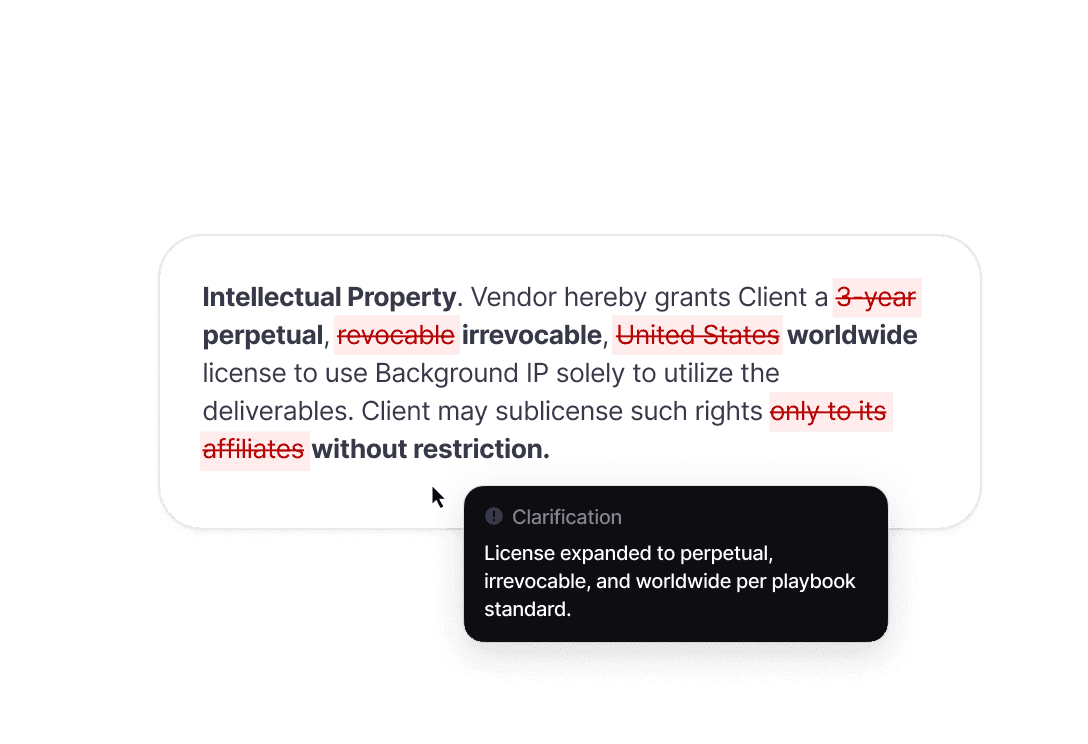
Redline directly in Word or Google Docs with clean track changes
Apply playbook-based edits as track changes without manually copying suggestions from another tool.
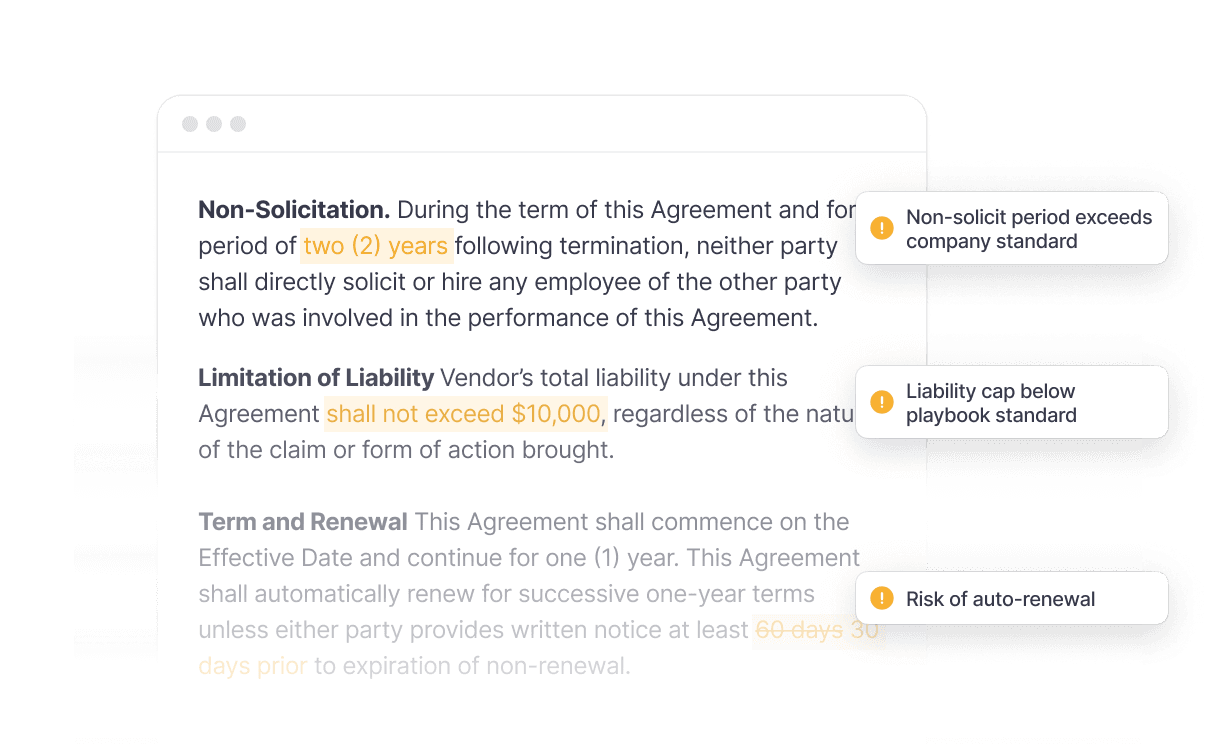
Catch risks and non-standard terms automatically
Flag issues, compliance gaps, and unfavorable provisions as you review. Know what needs attention before you advise stakeholders.

Maintain consistency across your team
Every review applies the same playbook standards and fallback positions. No more inconsistent redlines or outdated clause language.
features
Redline, spot issues, and get answers — without leaving Word or Google Docs
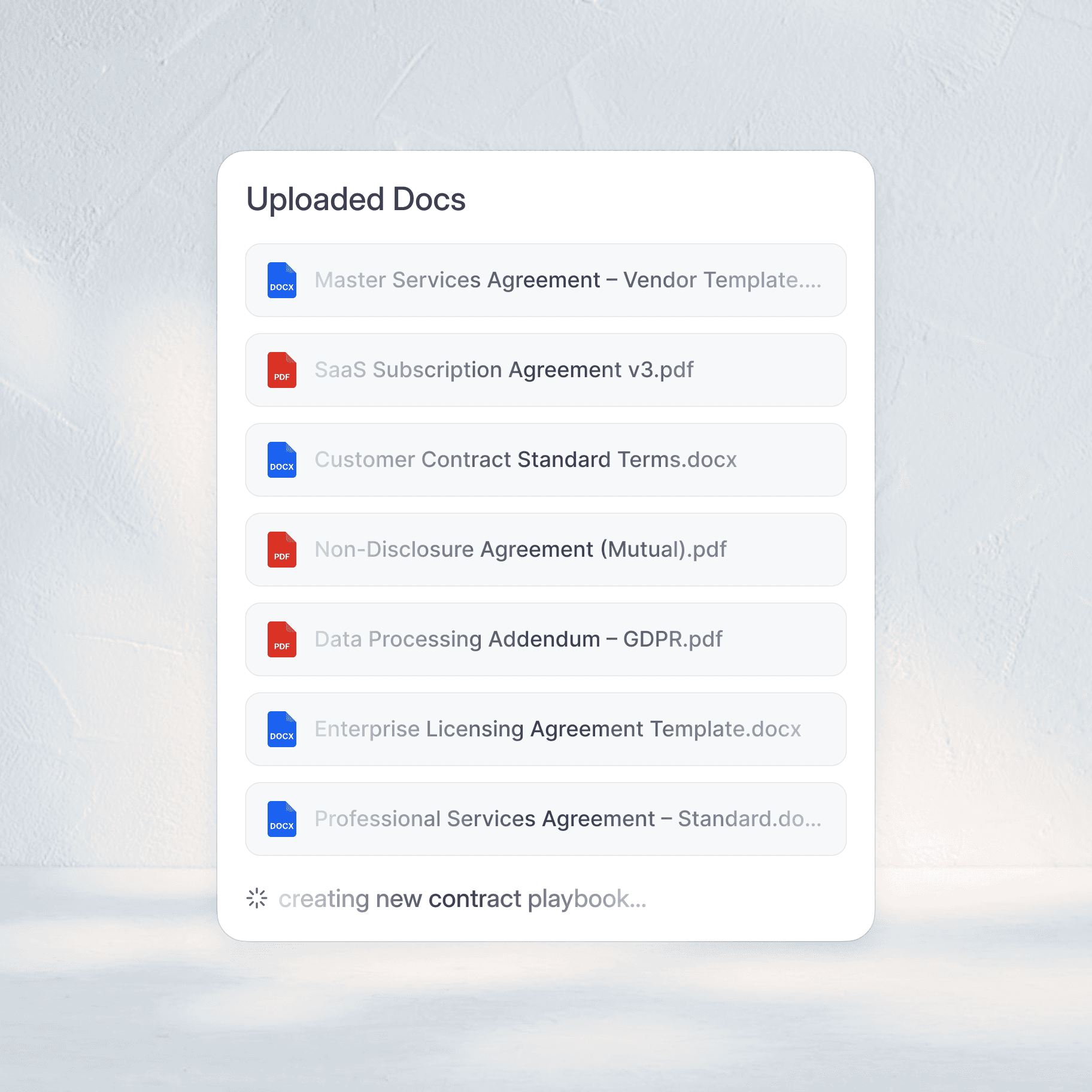
Auto-generate playbooks from your agreements
Extract your preferred clauses from your template agreements and generates playbooks in minutes.
Apply redlines with fallback positions
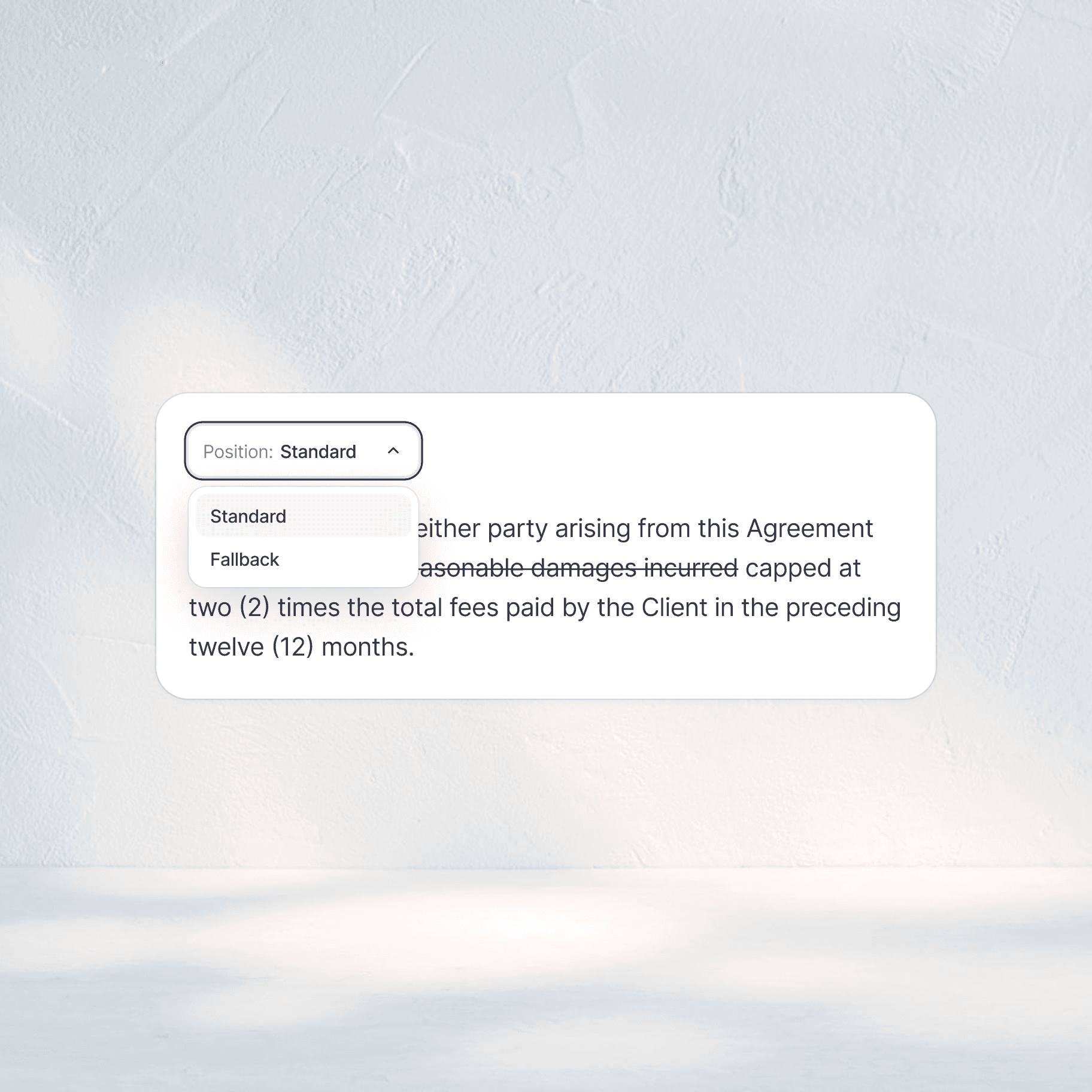
Redline agreements with your preferred and fallback clause language applied directly as track changes in Word or Google Docs.
Choose between standard and fallback positions for flexible negotiation without manually editing every clause.
Issue spotting and compliance checks
Automatically flag risks, playbook deviations, and non-standard provisions as you review.
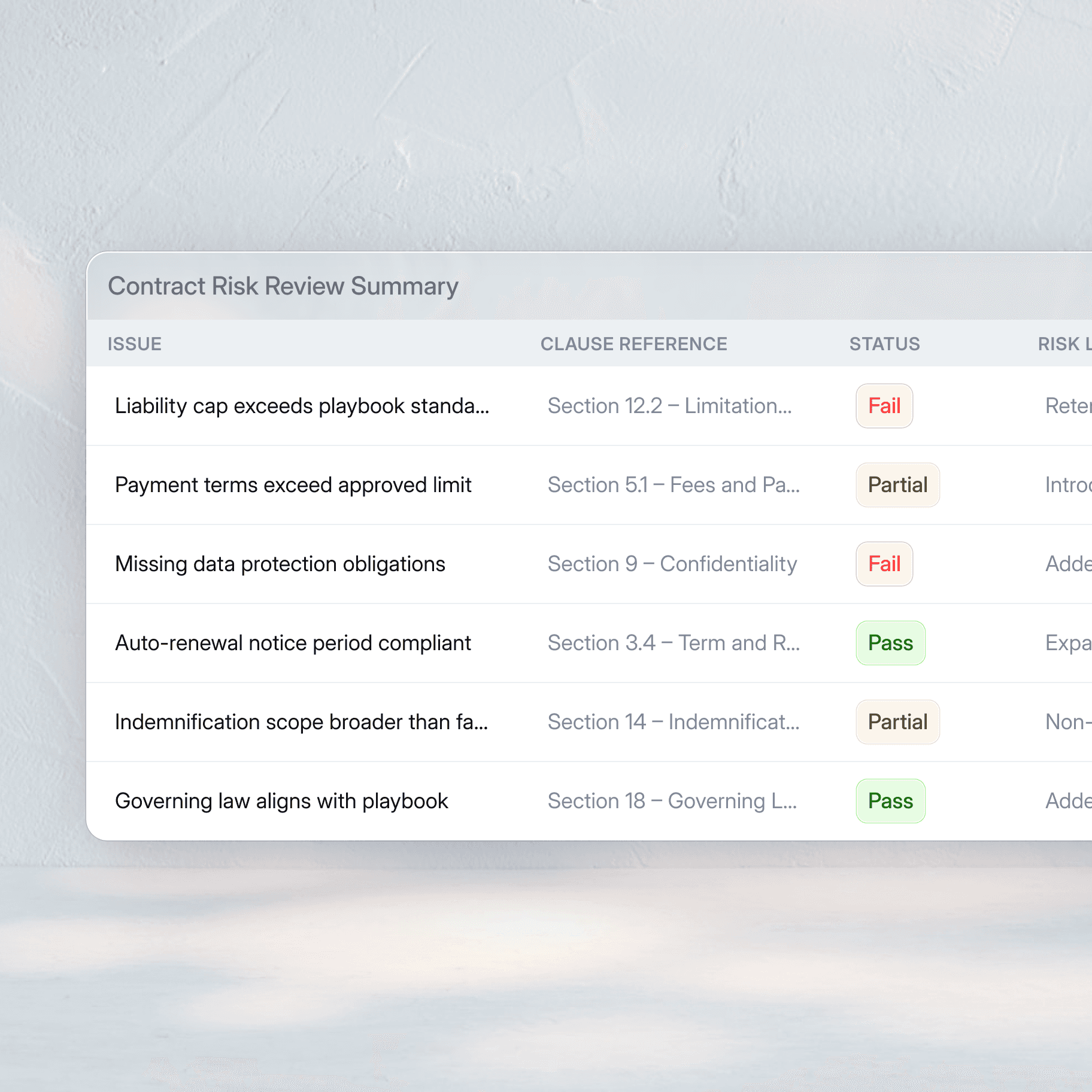
Generate professional issues lists that clearly communicate contract risks and recommendations to stakeholders.
Every flagged issue gets a clear status — pass, partial, or fail — so you can prioritize your review and focus on what matters most.

Research and draft with the built-in Assistant
Get summaries, drafting assistance, and research support in Word and Google Docs.
Ruli Assistant answers with citations to help you structure and negotiate better terms.
industry insights
Backed by leading professionals
See how Ruli is transforming workflows and empowering legal teams to achieve more.